Table of Contents
By default, EagleEye will automatically set the portal redirect URL for you.
Follow this guide if you need to do any of the following:
- add your custom portal domain,
- change the current redirect URL,
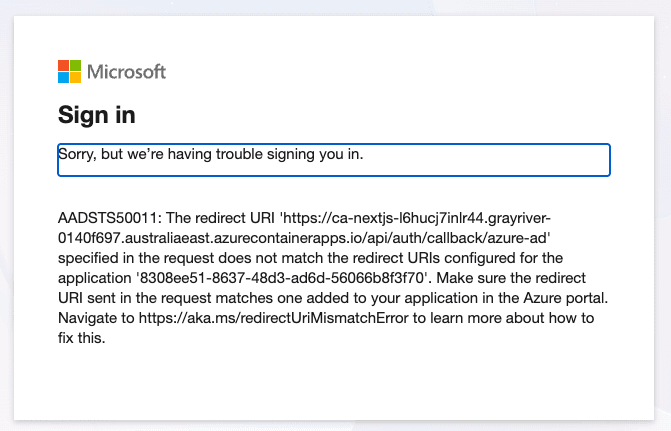
- fix
AADSTS50011error in EagleEye Portal login
Steps to Set Portal Redirect URL
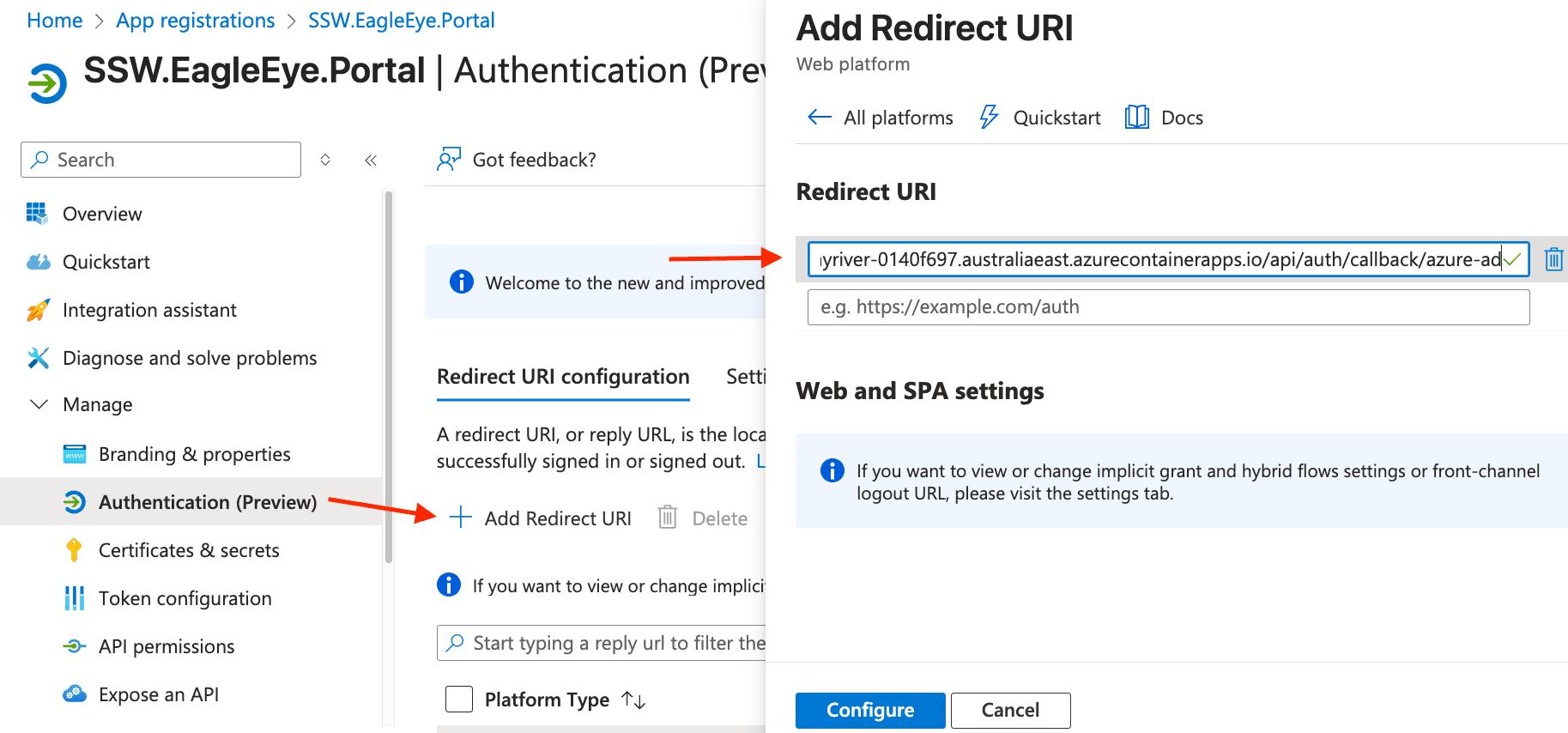
- On the Azure portal, go to your Managed Applications, select SSW EagleEye → the Managed Resource Group (e.g.,
mrg-ssw-eagleeye-xxxxxx) - Find the Portal container app (e.g.,
ca-nextjs-xxxxxx) - Copy the Application URL (e.g.,
https://ca-nextjs-xxx.australiaeast.azurecontainerapps.io) - Go to App registrations → SSW.EagleEye.Portal
- Go to Authentication → Add Redirect URI → Web
- Add redirect URI:
[Portal URL]/api/auth/callback/azure-ad- e.g.
https://ca-nextjs-xxx.australiaeast.azurecontainerapps.io/api/auth/callback/azure-ad
- e.g.
- Click Configure